📧 Hermod Mail: iPhone email client without its own server keeps mail and logins on the device
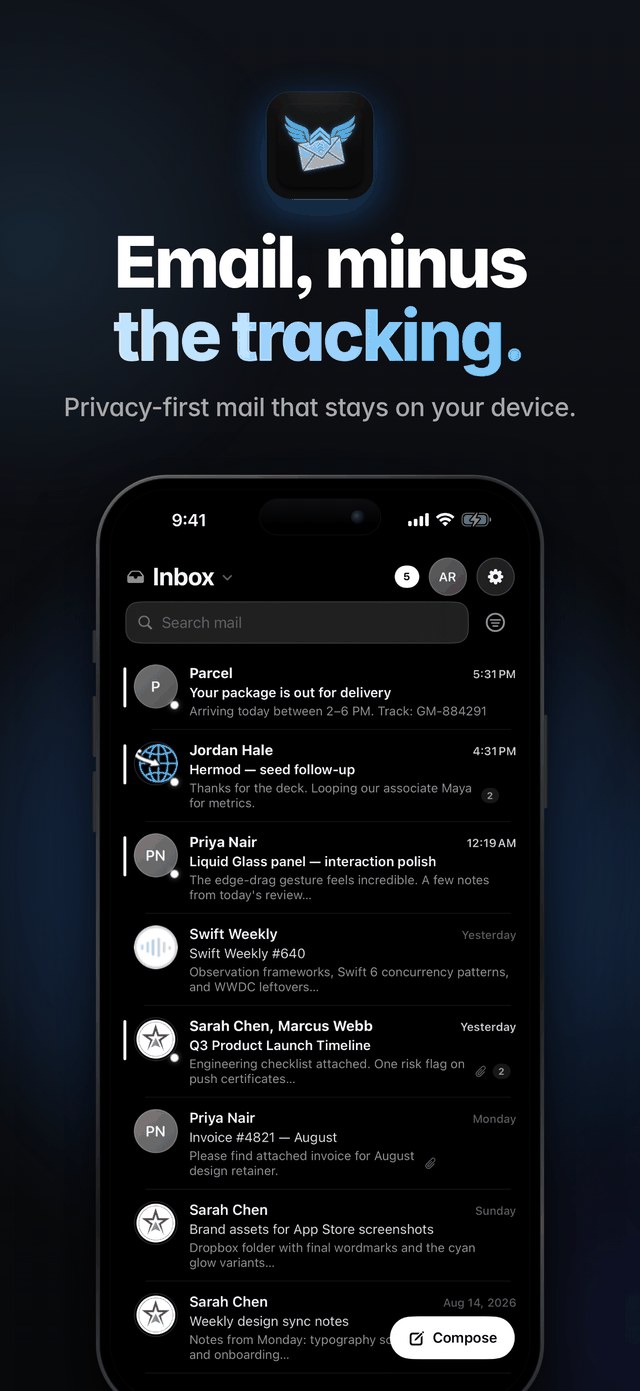
In brief
- 📧 Hermod Mail is an email client for iPhone and iPad that connects directly to Gmail, Outlook, Yahoo, AOL, iCloud or IMAP.
- 🔒 According to the maker there is no Hermod mail server; mail stays on the device, logins in the iOS Keychain.
- 🧹 Features: one-tap unsubscribe, clean-up by sender, custom folders, blocked tracking pixels.
- 💵 Free; Pro with unlimited accounts costs $7.99 a month or $49.99 a year.
Many email apps route messages through their maker's servers, for example to offer push notifications or sorting features. [Hermod Mail](https://tryhermod.com/) takes a different route. 📧 The app for iPhone and iPad connects directly to the mail provider, according to its maker, whether Gmail, Outlook, Yahoo, AOL, iCloud or any IMAP mailbox. There is no Hermod mail server; messages are cached only on the device, and logins sit in the iOS Keychain. 🧹 Features include an unsubscribe button for newsletters, a view of all mail from one sender for clearing it out in one go, custom folders with automatic filing and blocking of tracking pixels. The maker rules out ads, third-party analytics and sending mail content to AI services. 💵 The app is free. Hermod Pro, with unlimited accounts, attachments and statistics, costs $7.99 a month or $49.99 a year after two free weeks. It requires iOS or iPadOS 17.
🔑 **How sign-in works.** For Google and Microsoft you sign in on their own pages, so the password never reaches Hermod. For Yahoo, AOL, iCloud and other IMAP accounts you create an app password with the provider, and it stays in the device's Keychain. With Gmail, the app talks to the Gmail API directly from the device to show, search, send, label and delete mail, the maker says. Even new-mail alerts are created on the device, without a push server of its own.
🧹 **Cleaning up.** Dragging from the right edge of a conversation brings up every email from that person or with the same subject; the list can be filtered and deleted at once. If a message carries the sender's own unsubscribe option, Hermod shows an Unsubscribe button and only sends the one-click request or the unsubscribe email after you tap. Folders can be created freely, and mail from a sender or with the same subject filed automatically. While reading, tracking pixels and JavaScript in emails are blocked, according to the website. A user asked on the listing where the product was presented whether the automatic copying of two-factor codes also works with IMAP accounts; no answer has been posted yet.
🔒 **What leaves the device.** Sender logos are off by default. If you switch them on, the app looks up logos for the sender's domain from DuckDuckGo, Google's favicon service, the sender's own website and Gravatar, which is why the feature is opt-in. The maker says mail data is never sold or used for advertising or AI model training. Delete Account & Data wipes every account, cached message and token from the device.
💵 **Free and Pro.** The free version covers the basics. Hermod Pro adds unlimited linked accounts and sending, an unlimited clean-up panel, attachments in and out, a widget with activity statistics counted on the device, and data export. New subscribers get two weeks free; after that Pro costs $7.99 a month or $49.99 a year in the US, with local prices varying. The subscription runs through Apple and can be cancelled in Settings.
📱 **Who it suits.** People who want several mailboxes in one iPhone app without an app maker's server in between get an alternative to services that route mail through their own servers. Android users or anyone looking for a desktop client gain nothing: Hermod only runs on iPhone and iPad from version 17.