✂️ Clipping AI cuts long videos into captioned shorts on your own device
In brief
- ✂️ Clipping AI turns long recordings into vertical clips with captions
- 💻 The video file stays on your device; the audio is sent for transcription
- 🆓 Free: up to 3 videos a month, 60 minutes each, with no watermark
- 💶 Pro costs $9.90 a month for up to 50 hours of video
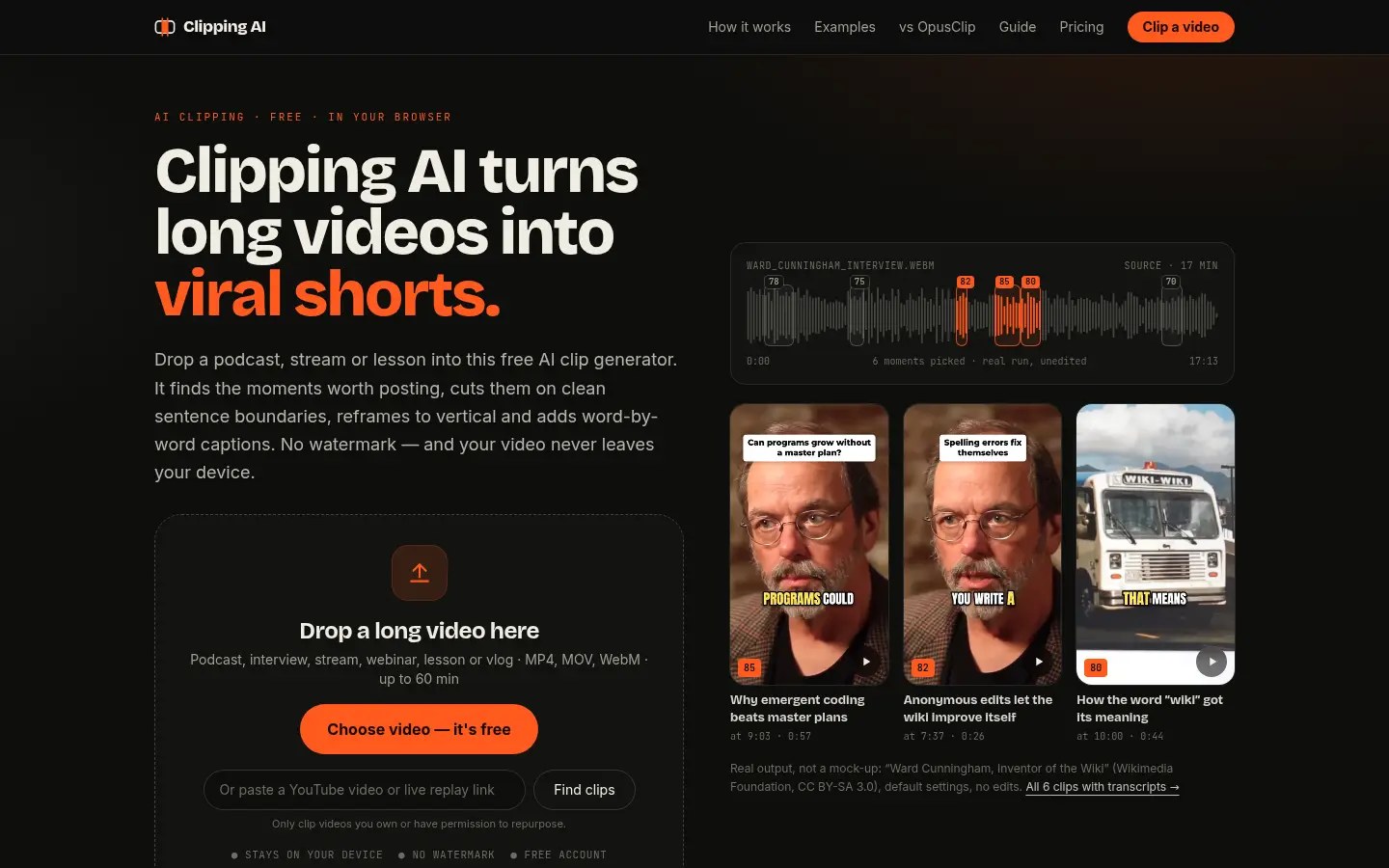
✂️ [Clipping AI](https://clippingai.org/) turns podcasts, interviews, streams or lectures into short clips: it looks for suitable moments, cuts them on word boundaries, reframes them to vertical and adds word-by-word captions. It is aimed at people who fill TikTok, Reels or YouTube Shorts with material from longer recordings. 💻 Unlike services that first upload the whole file, the maker says the video stays in the browser. A compressed audio track is sent for transcription, and the resulting text then goes to an AI service that picks the moments. 🆓 The free plan covers up to three videos a month of up to 60 minutes each, without a watermark, but requires a free account. Some regions get tighter limits.
⚙️ **How a run works.** You choose an MP4, MOV, WebM or MKV file and can add what to look for, such as pricing advice or funny moments. The AI reads the whole timed transcript and the tool measures audio energy. Each suggestion gets a score from 0 to 100, a title and a reason; intros, sponsor reads and housekeeping are meant to be skipped. The maker puts a 17-minute interview at about four minutes and shows the six unedited results on its home page.
🎚️ **Editing.** Start and end points can be moved to any word, and captions can be corrected and shown in styles such as Bold, Karaoke, Clean or Pop. Filler words and silences can be removed, with optional zoom and a short opening that teases the climax. The frame follows the active speaker, and two people in a wide shot are stacked on top of each other. Output is 1080p MP4, 720p on phones, plus optional SRT captions and a timeline for Premiere Pro or DaVinci Resolve.
🔒 **What leaves the device.** According to the privacy policy, a compressed mono copy of the soundtrack goes through the company's server to Cloudflare Workers AI and is discarded afterwards. The transcript text is sent to OpenAI for picking clips, with Cloudflare as backup; OpenAI may keep it for up to 30 days for abuse monitoring, or longer if the law requires. The list of clips found, with times, titles and descriptions, stays with your account for seven days. Anyone processing confidential conversations should weigh this.
🔗 **YouTube links.** Clips can be previewed from public videos that have captions, free for up to three links a month and not on the free plan in some regions. The server reads those captions. A free export needs the video file; for paying users, the privacy policy says a server of the service temporarily slices only the needed segment. The maker asks users to clip only videos they own or have permission to reuse.
💶 **Limits and prices.** Free allows up to 15 clips per video and 60 minutes of length, only 20 minutes in some regions. Pro at $9.90 a month covers 50 hours, files of up to 4 hours on a computer and 2 on a phone, up to 27 clips and your own logo, fonts and colours; it can be cancelled at any time.
⚠️ **When it does not fit.** Moments are chosen from what is said, so music videos, silent footage or gameplay without commentary will not give good clips. A computer with a recent Chrome, Edge or Safari works best; recent Android phones with Chrome handle shorter videos. Transcription covers languages including English, German, Spanish, Arabic and Japanese.