💻 "Computer use" comes to the Gemini app for Mac: Google lets the AI operate desktop apps in a background window
In brief
- 🆕 Since 19 November the Gemini app for Mac can operate programs and websites itself: click, type, open menus and fill in forms.
- 🖱️ Gemini works in an isolated background window with a live preview in the chat; screen and cursor stay free.
- 🔒 It pauses for logins and payments, and sensitive steps need confirmation.
- 🎟️ Available first in US English for Google AI Plus, Pro and Ultra subscribers.
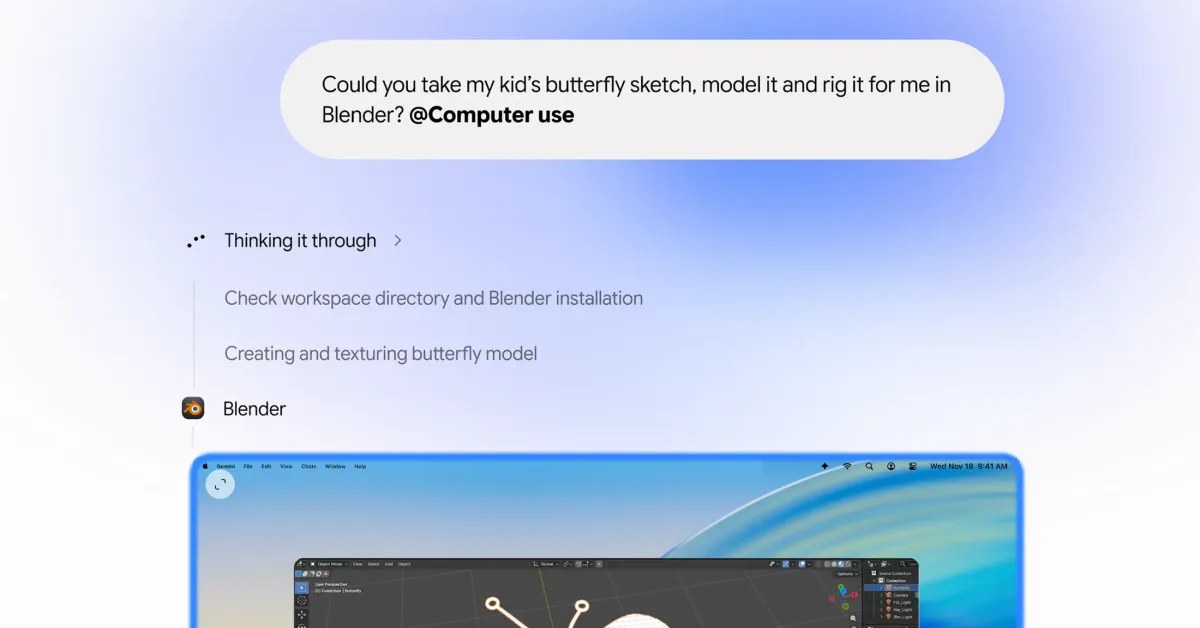
🧠 Google has added a feature called computer use to the Gemini app for Mac. Until now the AI there could only reach local files and connected services such as Gmail or the calendar. Now it can carry out multi-step tasks for the user in local desktop programs and on the web: it sees what is in front of it through screenshots, clicks, types, opens menus and fills in forms. This happens in an isolated background window whose live preview appears in the chat, so the Mac stays usable as normal. The user decides which programs Gemini may use; it stops for logins and payments and asks before sensitive actions. The feature is switched on by writing @Computer use in the prompt. It rolls out from 19 November in US English for Google AI Plus, Pro and Ultra subscribers.
**What changes.** The Mac app's earlier task feature, formerly called Gemini Spark, could use local files only together with connected apps such as @Gmail or @Google Calendar. With computer use Gemini also operates programs that are not connected to each other. Engadget writes that the ability has been available for PC users for a while; what is new is the Mac. Under Customize > Connectors, new "Desktop" apps such as Blender and Autodesk Fusion appear next to the existing integrations for Git and Obsidian.
**Google's examples.** Google names four uses: colour-grading photos in batches in a design program or setting up complex 3D scenes; pulling weights, dimensions and addresses from local PDFs to fill in shipping quotes with many boxes; pulling metrics and screenshots from live dashboards in several regions and building a presentation in Google Slides; and listing clothes for sale, with Gemini analysing photos from a local folder, researching prices, logging the details and staging listings on resale platforms. Engadget adds eBay and turning a pencil sketch into a 3D model. These are vendor examples; the reports contain no independent tests of reliability.
**Control and safety.** Every run can be stopped with one click. The Decoder places the feature in a race in which OpenAI recently also put weight on computer use with its Astra model.
**Requirements.** According to Google's help page the Mac app runs on Macs with an Apple chip, macOS Sequoia (15.0) or later, at least 8 GB of memory and 200 MB of free disk space. It is downloaded from gemini.google/mac, and the Option+Space shortcut opens the chat. A personal Google account or a work or school account for which the administrator has enabled Gemini is required. The reports give neither the prices of the subscription tiers nor a date for other languages or countries, Germany included.