🎨 ComX Studio: one workshop to script, draw and export comics, with AI only if you want it
In brief
- 📖 ComX Studio keeps pitch, script, character sheets, panels, balloons and lettering in one comic project.
- 🤖 AI is optional: an assistant drafts scripts, pages can be generated and retouched area by area; drawing by hand works too.
- 🖨️ Exports PNG, JPEG, TIFF, PDF and layered PSD, with a print preset for Amazon Comics.
- 🧪 Alpha: free account and first page free; full AI and paid plans by invitation, pages made on a computer.
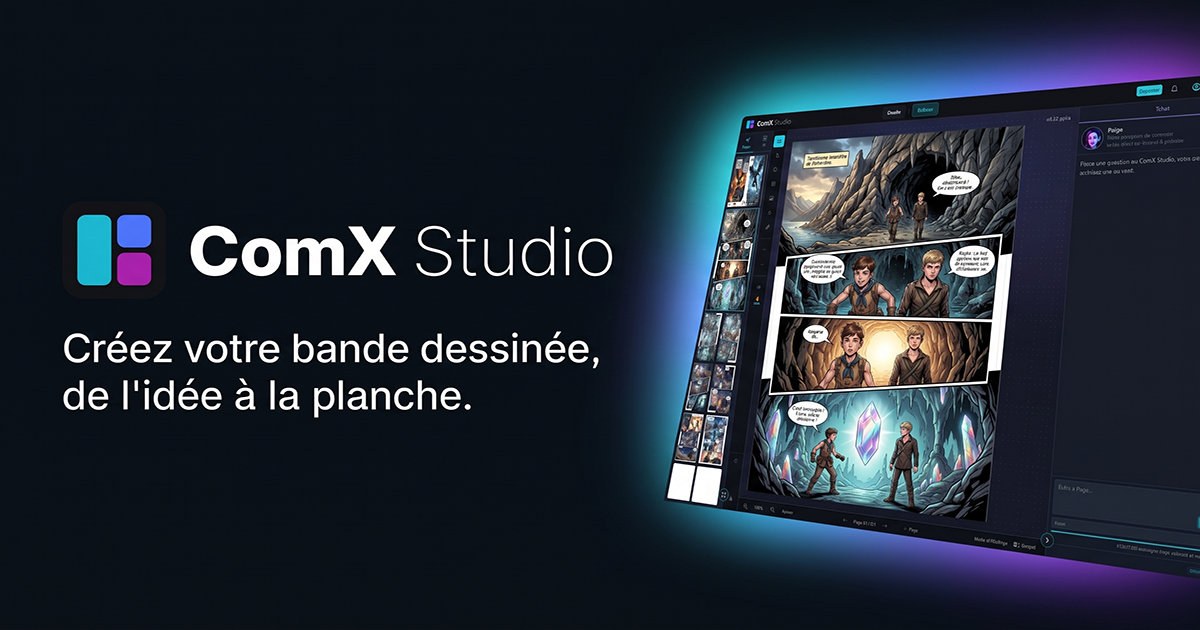
🎨 ComX Studio is a web tool for making comics, manga and webtoons that keeps every step of the work in one project: the pitch, the story arc, the script, character sheets, the panels, speech balloons and lettering. Behind it is [ComX Studio](https://comxstudio.ai/en), an independent tool whose site is available in French and English. Artificial intelligence is offered but not required. A chat assistant can draft the script, and the studio can generate a whole page and then redo a single area of it without redrawing the rest. Anyone who prefers to work by hand can draw, import their own art and leave AI out entirely. Finished pages are exported as PNG, JPEG, TIFF, PDF or layered PSD, with a print preset sized for Amazon Comics. 📚 The tool is in Alpha. The account is free, needs no credit card, and the first generated page costs nothing; full AI use and the paid subscriptions are invite-only for now. Pages are composed on a computer: on a phone you can note an idea and create the account, but not open the studio or the editor. 💻
✍️ From idea to page. The project starts with writing. The assistant, which the site calls Paige, helps turn a pitch into a story arc and then into a panel-by-panel breakdown, with a camera note for each panel such as wide shot or close-up. The Studio then composes the pages from that breakdown, and according to the maker every panel of a page can be generated in one go. The Editor is where the page gets finished: frames, balloons, lettering, drawing and layers. Because script, characters and pages sit in one project, nothing has to be copied between separate programs; that is the core idea of the product.
🧑🎨 Keeping characters the same. A common problem of AI comics is that a character looks different in every panel. ComX Studio addresses this with character sheets and reference images that, according to the site, guide a figure's appearance from one panel to the next: the same face and the same outfit, page after page. How well that holds over a long story is the maker's statement; early users will have to test it.
🖌️ Without AI. The tool does not force generation. Pages can be laid out entirely by hand from panels, balloons and imported images, so an illustrator who draws elsewhere can use it for layout and lettering only. To the question whether you need to be able to draw, the site itself answers no: you write the script, the AI generates the pages and you retouch them, or you compose everything yourself.
💳 Credits and plans. AI generation runs on credits. The pricing page lists three subscription levels with monthly credits, which the maker translates into roughly 11, 26 and 78 comic pages a month. Each text or image generation costs credits depending on the AI model used; drafting a story arc or the cast costs less than generating reference images. Credits reset every month and do not roll over, and even a yearly plan refills monthly (the Standard yearly plan, for example, with 2,200 credits a month). Without credits the Studio can still be used to write and structure scripts. Subscriptions can be cancelled from the user area and stay active until the end of the paid period. During the Alpha, however, these plans are only handed out by invitation.
⚖️ Rights. Anyone planning to sell their comic should read the terms first. The maker says that use and distribution of the works depend on the terms covering the content and the AI services involved, recommends checking them before commercial use and does not guarantee exclusivity over generated images. Users also remain responsible for what is created in their account.
🖨️ Who it suits. The export covers print, e-readers and a vertical webtoon layout, and the layered PSD keeps the page open for further work in other image programs. The tool is aimed at writers and independent creators who have a story but not necessarily the drawing skills, and at artists who want script, layout and lettering in one place. It suits less those who want to work on a tablet or phone, since the studio needs a computer, and those who need to own generated images exclusively.