🖨️ ImageTo3DLab turns pictures into multicolour 3MF files for 3D printers
In brief
- 🖨️ The browser tool ImageTo3DLab converts PNG, JPG and SVG images into multicolour 3MF models.
- 🎨 According to the maker, colours are matched to Bambu Lab filaments; the files are meant for Bambu and Prusa slicers.
- 🔄 It also converts 3MF to STL and back.
- 💶 One export a day is free after login; packs from $4.99, no subscription.
🖨️ [ImageTo3DLab](https://imageto3dlab.com/) is a browser tool for people who print in several colours on a home 3D printer. You upload a PNG, JPG or SVG image, choose the colour layers, check the model in a 3D preview and download a 3MF file that the slicer is meant to take as it is. No CAD program is needed. It is aimed mainly at Bambu Lab printers with the AMS multicolour system and at Prusa. According to the maker, the tool matches the picture's colours to the official colour codes of Bambu Lab's PLA filaments, so the slicer assigns the spools without manual recolouring. 🎨 It also converts 3MF files to STL and the other way round. The basic tier costs nothing; for image-to-3MF, one export a day is free after login. One-time packs start at $4.99, and there is no subscription. It is not for people who rarely print, or who need real three-dimensional figures rather than flat, layered designs.
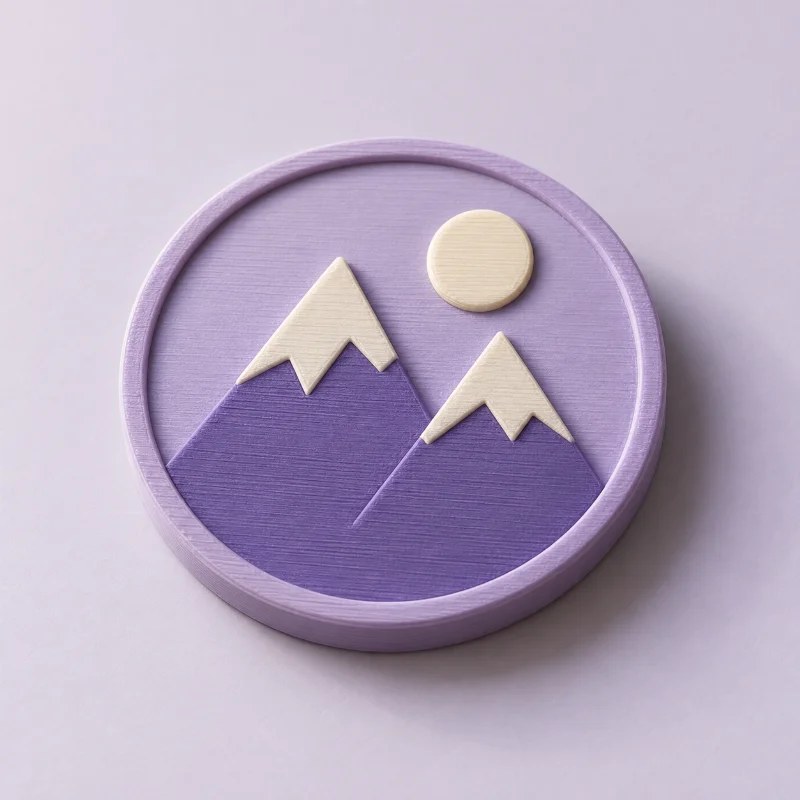
🧱 What comes out. The result is not a freely shaped 3D model but a flat, layered object: a base plate with raised colour areas on top, as for signs, keychains or desk decor. The examples on the maker's page show exactly such prints, among them a flower, a mountain scene, a lightning bolt and a heart. For keychains the tool, by its own account, adds a 3.5 mm hole and smooth chamfers automatically; the maker names Etsy sellers as a target group.
🔧 The technical detail. The page promises a fix for a known Bambu Studio error in which faces of different colours lie on top of each other and the slicer shows a yellow block. The tool offsets the graphic by 0.6 mm from the base plate so the faces no longer collide. Unlike a single-colour STL file, the 3MF format keeps a separate body for each colour; the maker says this makes the files 80 percent smaller. The output is described as millimetre-accurate.
💶 What it costs. The figures come from the directory entries the maker filed: the free tier allows one export a day after login, and one directory adds that it is limited to two colour layers. A starter pack for 20 models costs $4.99, a lifetime pass $29. Paid tiers allow up to eight colour layers according to these entries, as many as an AMS setup with two units holds.
❓ What remains open. The entries speak of uploading an image; none of the pages we could read says whether the pictures are processed on a server or only in the browser. Anyone working with designs that carry third-party rights should settle that before uploading. The site also does not say who is behind the tool. Several other providers offer similar converters, some using AI that estimates a full 3D model from a photo; ImageTo3DLab takes the simpler route of colour layers.